
Actual textured-background test · 01
A real backdrop.
A giraffe out front.
You in the picture.
This is a working-file diagnostic: one leafy balloon backdrop, plus a separate illustrated giraffe 80 cm forward on the right. Place them together, pose in the open center, and test the saved camera photo.
Transitional artwork test, not the complete “Wild One” scene. No lion, animation or full 3D animals. The homepage redesign remains separate and unpublished.
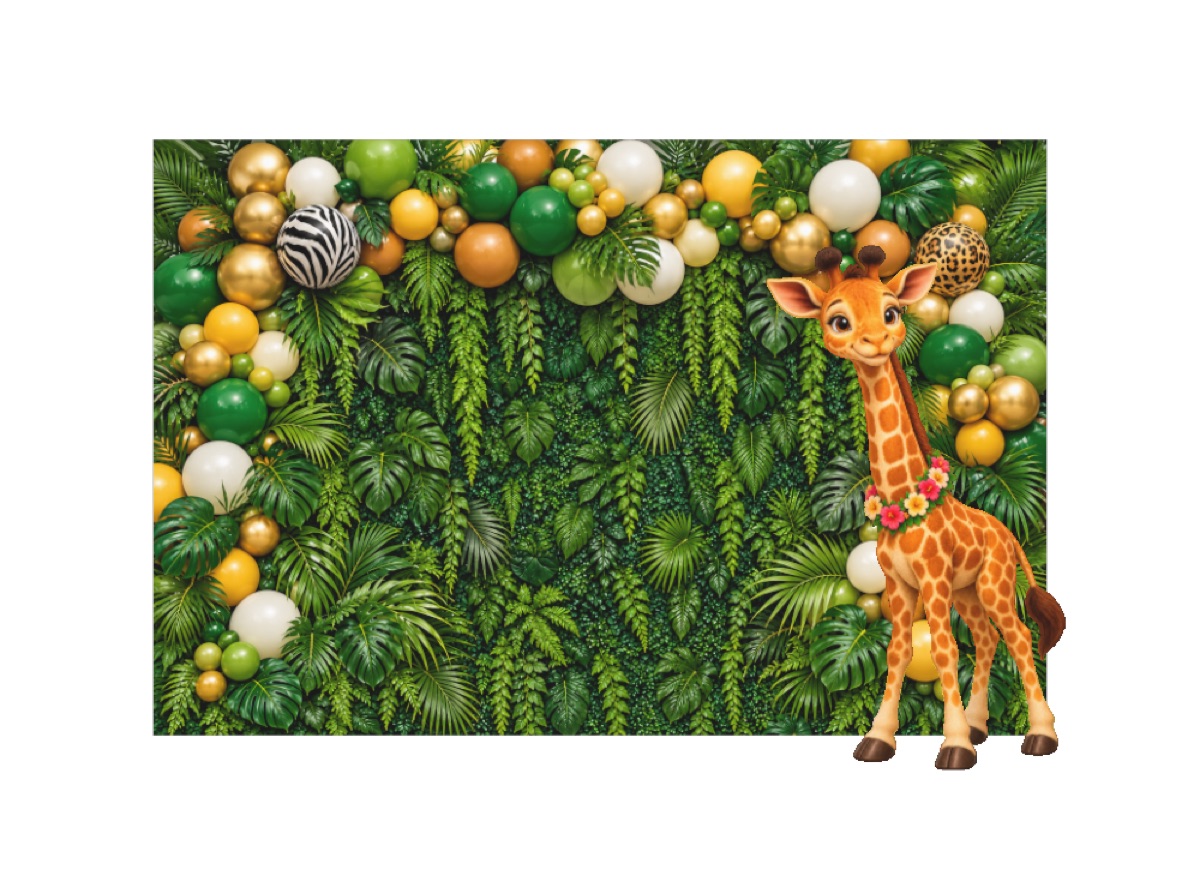
Render of the packaged asset. It does not prove real-person occlusion, lighting match or a successful phone photo.
Test the complete photo.
Initial target: iPhone 13, rear camera, Safari. Have someone else take the picture. If you arrive in a social app, open this page in Safari.
- Place the whole scene.Tap the picture, choose AR if necessary, and slowly scan the floor. Move or rotate the whole model into a clear spot. Both layers stay together at the authored size.
- Pose between the layers.Stand or sit in the center, about 40 cm ahead of the backdrop, keeping left of the giraffe. The photographer takes a slow step left and right. Check that the person covers the backdrop and that the giraffe shifts against it.
- Capture and inspect.Use Quick Look’s shutter and save/share controls, then check Photos. Look for hair and hand edges, floor contact, drifting, furniture overlap, lighting mismatch and whether the foreground giraffe layers correctly against the person.
The backdrop is 2.4 m wide × 1.6 m high. The giraffe is about 0.72 m wide × 1.26 m high, 0.8 m in front of it. Both bottoms are at floor level. The open posing span runs from the center toward the left; this size suits a small child or seated adult. A standing adult may rise above the compact backdrop.
Proposed setup: roughly 2.6 m clear width and 1.4–1.6 m of working depth, plus room for the photographer to step back. These are planning suggestions, not validated minimums. If it doesn’t fit, record that result. This launch keeps real scale fixed.
Use your ordinary room.
No blank wall is required: this model sits on the floor. Your room remains visible around the rectangular background. Furniture is not removed or reliably occluded; don’t place the model through a sofa or table. A clearer floor patch and soft, even light can help, but first try the space and normal lighting you actually have.
Not yet phone-tested: camera launch, floor tracking, person occlusion, depth ordering, lighting match, shutter and saving. Apple documents these platform capabilities, but this asset still needs your real iPhone test. No LiDAR is required. Android AR is not included.
Files & desktop preview
Both files contain the same two layers in one scene. Front and modest side views work best; the flat layers disappear from the back. A desktop 3D preview is not an AR or occlusion test.
Explore the actual asset in 3D only
Drag to see the depth gap. No camera or AR is active here.
Compare the original simple balloon placement test · Apple Quick Look platform reference